
CPE certificates, made and emailed from your own computer
Set up an event once, bring in your attendee list, and send every attendee a personalised PDF certificate through your own email account.
We reply with the Windows installer. Free to try, no card needed.
How it works
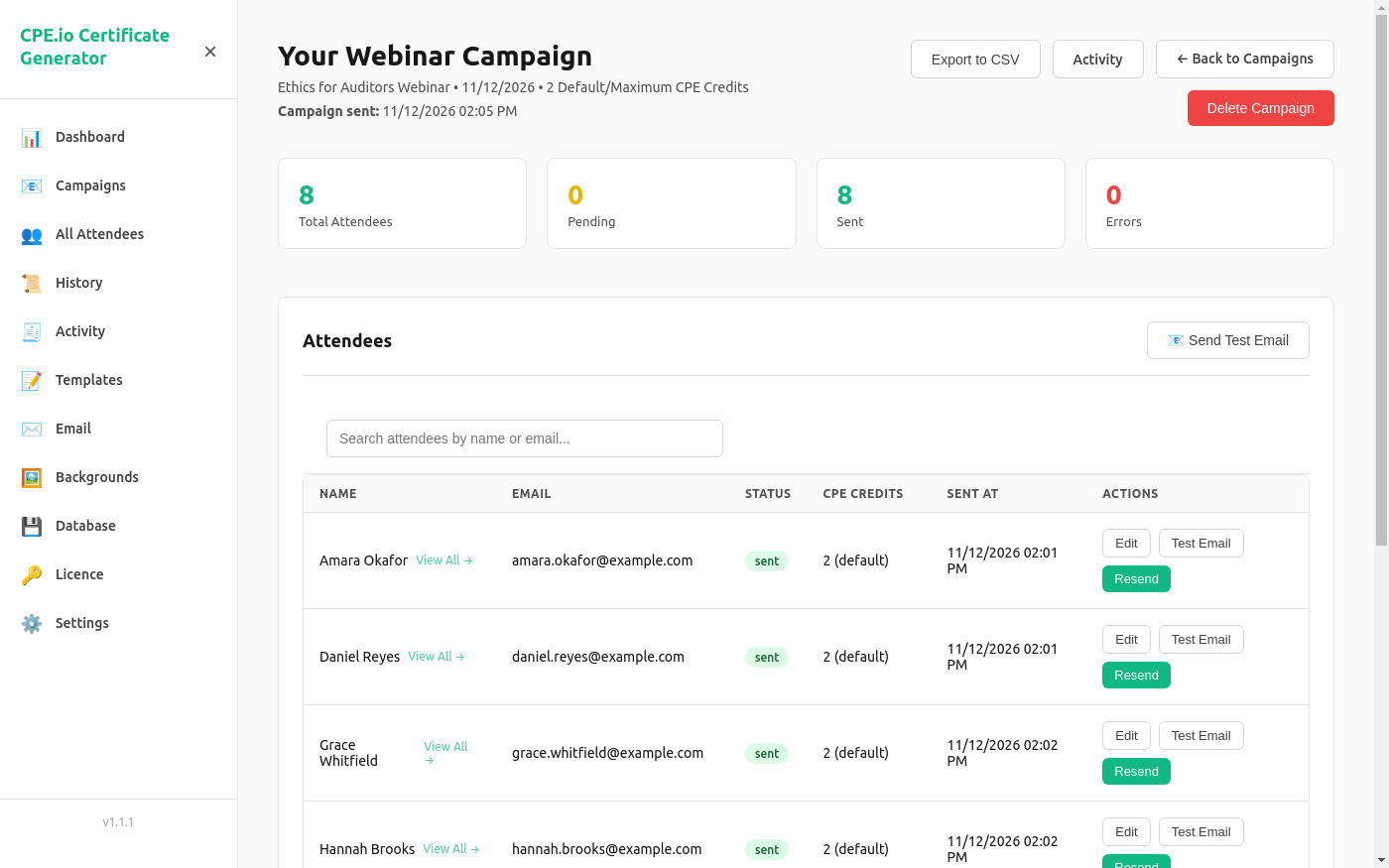
One campaign per event. The app walks you through it.
Describe the event
Program name, date, CPE credits, field of study, delivery method and who signs the certificate.
Add your attendees
Upload a CSV file of names and email addresses, or type them in. Each attendee can have their own credit amount.
Preview and test
Preview the certificate and send yourself a test email, so you see exactly what attendees will receive.
Send
Every attendee gets an email with their own PDF certificate attached. The app shows who was sent to and who was not.
What you get
Built for the person who has to get certificates out after every session.
Your certificate design
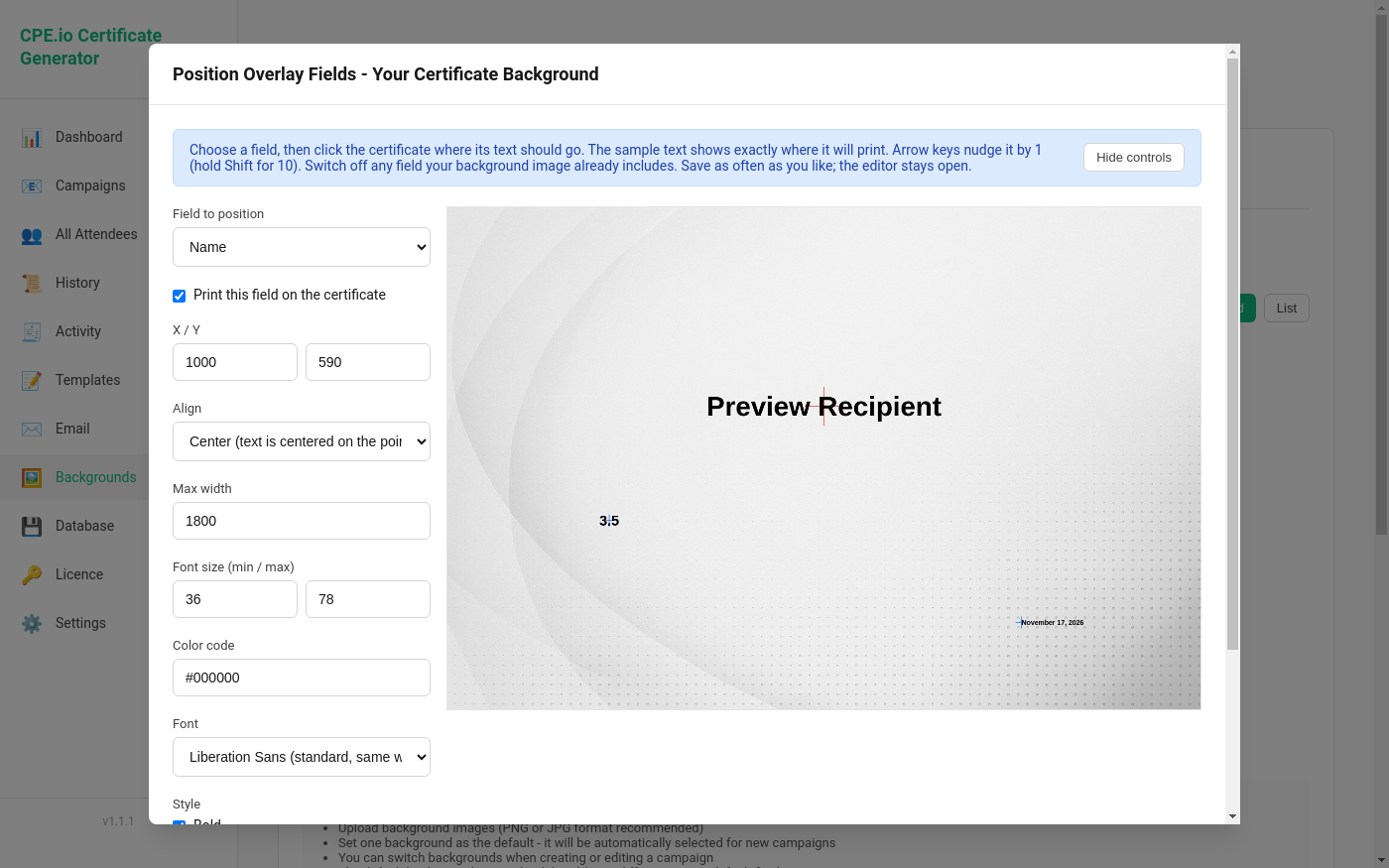
Upload your own certificate background and place each field where it belongs.
- Click on the certificate to position the name, credits, dates and other fields
- Choose font, size and colour, or import your own font
- Switch off any field your design already includes
A record of what happened
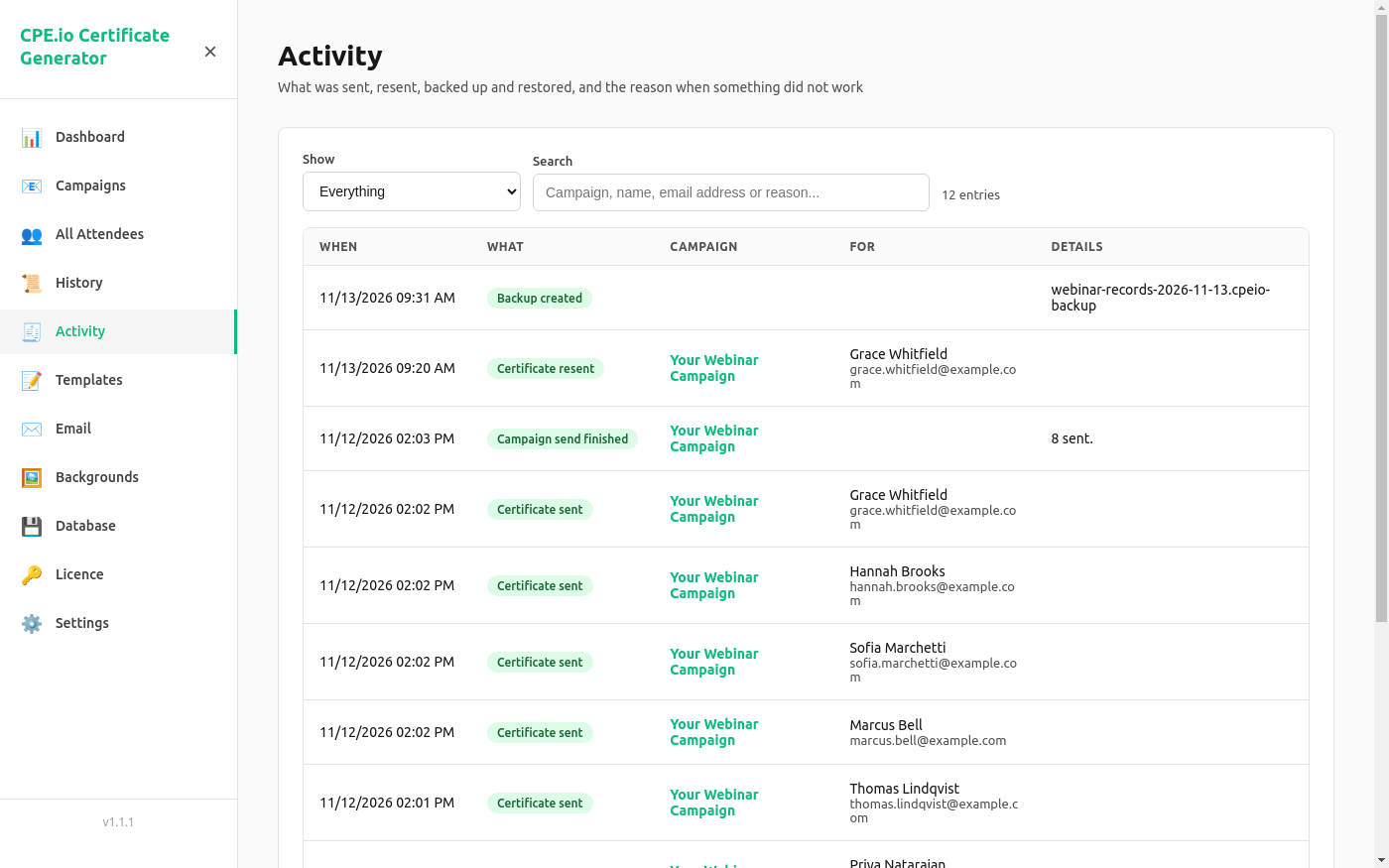
The Activity page lists what was sent, resent, backed up and restored.
- When an email could not be sent, the reason is shown
- Filter to errors only, or search by campaign, name or email address
- Resend a certificate to one attendee at any time
Sends through your own email
Works with Gmail, Google Workspace, SendGrid, Mailgun or any SMTP server. Attendees see the email coming from you.
Your data stays with you
Attendee lists, certificates and settings are stored on your computer, not on our servers. That also means we cannot recover them for you, so keep your own backups.
Backup and restore
Save everything to one backup file, including backgrounds, layouts and email settings, and restore it on another computer.
Partial credit
Give an attendee who left early a different credit amount from the rest of the group.
Your wording
Write the email subject and message once per campaign, in plain text or HTML, with an optional BCC copy for your records.
Export
Export a campaign's attendees and their status to a CSV file for your own records.
Pricing
One price. Try everything first. It all starts with an email to cust.support@cpeio.online.
Yearly licence
$150 per year, per install
- Send campaigns and resend certificates
- Certificates without the TESTING watermark
- Every feature of the app
- The licence key works offline
Tell us the name of your organisation. We send an invoice, and your licence key arrives by email once it is paid. Buying a licence means accepting our terms.
Free to try
Email us and we send you the Windows installer. Use the app without a licence for as long as you need to evaluate it.
- Set up campaigns, backgrounds and email
- Preview certificates and send test emails
- Certificates carry a TESTING watermark
- Sending a campaign needs a licence
Questions
What do I need to run it?
A Windows 10 or Windows 11 computer (64-bit), and an email account or email service to send through.
How do I activate my licence?
Open the Licence page in the app and paste the key we email you. It takes effect immediately; nothing needs to be reinstalled.
What happens when the licence ends?
The app returns to trial mode. Your campaigns, attendees and settings stay in place, and sending works again as soon as you enter a renewed key.
Where is my attendee data kept?
On your computer. Emails go out through the email account you set up, so attendee details pass only through your own email provider.
Do you keep a backup of my data?
No. Your data never leaves your computer, so we do not have a copy and cannot restore it if your computer is lost, stolen or fails. Backups are yours to make: the Database page saves everything to one backup file. Make one after each campaign and keep it somewhere other than that computer, such as a cloud drive or a USB stick.
Can I move the app to another computer?
Yes. Make a backup on the old computer, install the app on the new one, restore the backup and enter your licence key again. If you have lost the key, email us and we will send it again.
How do I get help?
Email cust.support@cpeio.online.